

Hayward
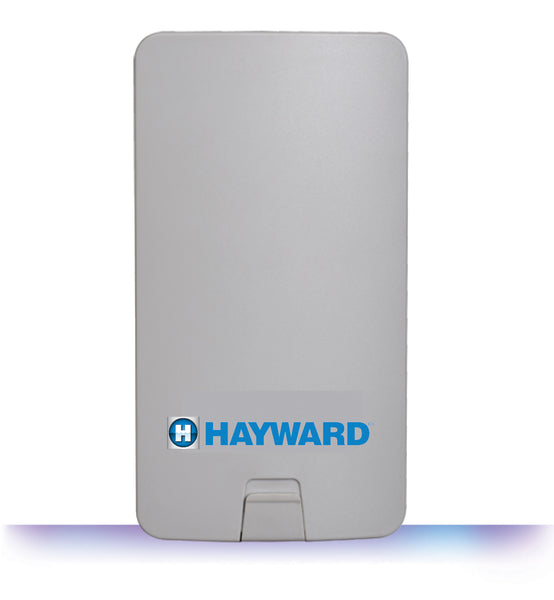
Hayward OmniLogic Wireless Network Antenna HLWLAN – Wi-Fi Transceiver Kit
Hayward OmniLogic Wireless Network Antenna – Wi-Fi Transceiver Kit
Official Hayward HLWLAN 802.11b/g/n transceiver kit for wireless OmniLogic web access and remote app control.
Warranty Information
3-Year Limited Manufacturer Warranty
Hayward accessories are warranted against defects in workmanship and materials. Warranty may be void due to improper installation, misuse, or freeze damage.
Upgrade your Hayward OmniLogic automation system with the Hayward Wireless Network Antenna (HLWLAN), the official Wi-Fi Transceiver Kit designed to create a wireless connection between your OmniLogic controller and home router or access point.
This 802.11b/g/n wireless transceiver helps eliminate the need to run Ethernet cable for OmniLogic web access. Once connected, your OmniLogic system can be accessed remotely using web-enabled devices and the OmniLogic app.
The HLWLAN kit is designed for OmniLogic systems operating with MSP version R4.1.1 or greater. To check your firmware version, open the OmniLogic configuration menu and review the system information screen.
Main Features
Creates a Wi-Fi bridge between your OmniLogic controller and home router or access point.
Designed for wireless communication up to approximately 250 ft depending on installation conditions.
Supports common 2.4 GHz wireless network standards used by many home routers.
Helps avoid running Ethernet cable from the OmniLogic panel to the home router.
Enables remote control access when properly connected to the web.
Includes transceiver, power injector, antennas, Ethernet cables, power cable, and mounting hardware.
Best For
- Hayward OmniLogic automation systems
- Adding wireless network connectivity to OmniLogic
- Installations where Ethernet cable runs are difficult
- Remote app access for compatible OmniLogic systems
- Pool owners using 2.4 GHz home Wi-Fi networks
Specifications
| Model | HLWLAN |
| Brand | Hayward |
| Product Type | OmniLogic Wi-Fi Transceiver Kit |
| Compatibility | Hayward OmniLogic Control Systems |
| Firmware Requirement | OmniLogic MSP version R4.1.1 or greater |
| Wi-Fi Standards | 802.11b/g/n |
| Wireless Band | 2.4 GHz |
| Connection Range | Up to approximately 250 ft |
| Setup Options | WPS or manual wireless network configuration |
| App Compatibility | OmniLogic app for remote system access |
| Smart Integrations | Amazon Alexa, Google Home |
| Included Components | HLWLAN transceiver, power injector, two 2.4 GHz antennas, OmniLogic power supply cable, two Ethernet cables, and mounting hardware |
| Installation Note | Installation requires access inside the OmniLogic panel. Power must be shut off before installation. |
| Warranty | 3-Year Limited Manufacturer Warranty |
| Sale Type | Final Sale |
| Manual | Download Product Manual |
Frequently Asked Questions
The HLWLAN creates a wireless connection between a Hayward OmniLogic controller and the home router or access point for web access and remote control.
The HLWLAN requires OmniLogic controls operating with MSP version R4.1.1 or greater.
Hayward lists the HLWLAN radio range at approximately 250 ft, depending on router location, obstacles, and installation conditions.
No. This is a final sale automation part. Please confirm compatibility before ordering.
Professional installation is recommended because installation requires access inside the OmniLogic panel and power must be shut off before installation.
No product videos available for this product.